The quick answer
Open the NYC Lead Compliance Check, enter the building address, and select the correct property. The checker reviews public NYC data and displays the building’s construction year, residential-unit count, BBL, and matching open lead-specific HPD violations. Use it as a fast screening step, then verify official status and full records with HPD.
Check your NYC property now
No account is required. Search by street address and review the public-data results in seconds.
Open the Free Compliance Check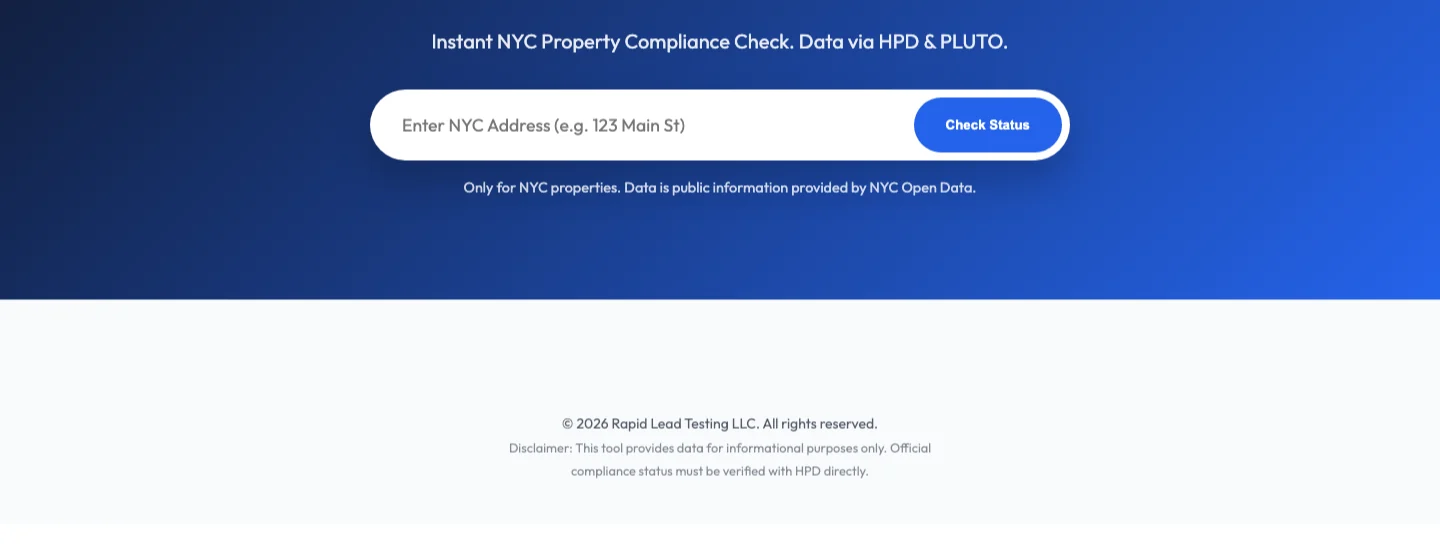
What the compliance checker shows
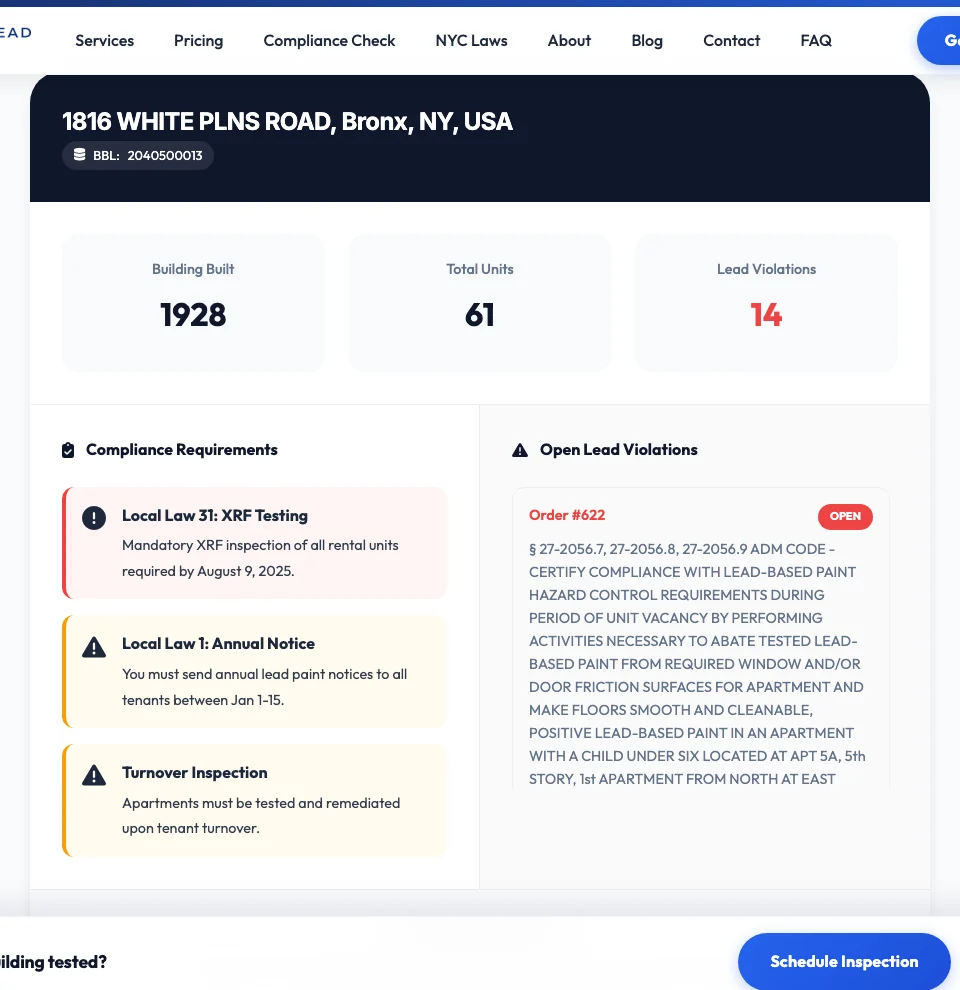
The tool is designed to answer an owner’s first questions without forcing them to interpret every unrelated housing record. After an address is selected, the results can show:
Property identity
The normalized address and BBL help confirm that you are reviewing the intended tax lot.
Construction year
The public building year provides immediate context for lead-law questions and older-housing due diligence.
Residential units
The residential-unit count helps owners understand the scale and type of property being reviewed.
Open lead-specific violations
The results filter the returned open HPD records for explicit lead-paint and lead-hazard language.
When matching records are found, the results can include the HPD order number, open status, official violation description, issue date when available, and the apartment or building area identified in the public record.
How owners can use it in five steps
- Enter the full NYC address. Include the house number and street name. Choose the correct borough result when similar addresses appear.
- Confirm the property. Read the normalized address and BBL before relying on the result, especially for corner buildings or multi-lot properties.
- Review the building profile. Check the construction year and unit count against your own records. A mismatch is a reason to verify the lot and source data.
- Read every open lead-specific violation. Note the order number, apartment or area, issue date, and exact condition described. One building can have multiple records tied to different components or units.
- Verify and make an action list. Open HPD Online for the official record, identify deadlines and certification requirements, and gather existing testing, repair, and clearance documents.
Why a lead-specific view is useful
A large NYC property can accumulate many types of housing maintenance records. Fire doors, pests, heat, plumbing, paint condition, and other issues may appear together. The compliance checker narrows the returned open violations to records that contain explicit lead-paint or lead-hazard language.
That focus is useful during a new acquisition, management takeover, annual file review, refinancing, renovation plan, or response to a tenant complaint. It gives the owner a short list of lead-related records to verify instead of treating the entire building history as one undifferentiated problem.
For a deeper explanation of violation classes and the correction process, read our guide to understanding HPD lead violations.
How to interpret the preliminary requirement prompts
The checker uses public construction-year information to surface common lead-compliance questions. An older building may receive prompts about XRF testing, annual notices, or turnover requirements. These are reminders to investigate—not a legal conclusion about your exact property.
Applicability can depend on the building type, construction date, occupancy, tenant and child information, prior exemptions, testing history, paint records, and the exact law or HPD order involved. If the property appears potentially covered, compare your records with the official requirements and review our detailed guide: Does Local Law 31 apply to my building?
What this tool does not prove
No matching open violation does not mean the building is lead-free or fully compliant. The checker does not inspect painted surfaces, confirm that required XRF testing was completed, determine whether records are complete, replace an HPD search, or provide legal advice. It is an informational screen built from public data available at the time of the search.
What to do when the checker finds an open lead violation
Do not treat the red violation count as a repair plan by itself. Start with the official record and work from the exact cited condition.
- Confirm the violation in HPD Online. Verify status, class, dates, location, and any linked certification information.
- Identify the affected unit and components. The description may refer to a specific apartment, room, window, door, frame, wall, or other painted surface.
- Collect the building file. Pull prior XRF reports, inspector and firm certifications, notices, repair records, dust-wipe results, affidavits, and tenant communications relevant to the cited area.
- Determine the required professional scope. The next step may involve lead-safe repair, XRF testing, dust sampling, certification, or another process dictated by the violation and official instructions.
- Track correction and documentation together. Physical work without the required record, test, or certification can leave the compliance problem unresolved.
Rapid Lead Testing provides HPD lead violation testing and clearance support. We can review the violation language, help determine the testing scope, perform appropriate testing, and provide documentation for the next step. The owner remains responsible for following official HPD requirements and deadlines.
Use the checker before a problem becomes urgent
The best time to search is not after a deadline has passed. Owners and property managers can use the tool during routine portfolio reviews, when taking over a building, before tenant turnover, before renovation, or while organizing a compliance file.
A five-minute address check can reveal that a building record needs attention. It can also expose a data mismatch or missing internal document while there is still time to investigate. That is the real value of the tool: it shortens the path from “I am not sure what is attached to this property” to a focused list of records and questions.
For the broader picture, use the Rapid Lead Testing NYC lead resource guide to move from a property result to the right lead-law, landlord, tenant, testing, or FAQ page.
Search your building, then act on the facts
Review the public building profile and open lead-specific violations. If the result raises a testing or clearance question, Rapid Lead Testing can help.
Check a NYC AddressFrequently asked questions
How can I check a NYC building for lead violations?
Enter the property address in Rapid Lead Testing’s free Compliance Check, select the correct property, and review the matching open lead-specific HPD violations. Confirm the official status and complete record with HPD Online.
What information does the NYC Compliance Check show?
It can show the selected address and BBL, construction year, residential-unit count, number of matching open lead-specific HPD violations, violation descriptions, dates when available, and preliminary prompts based on public building data.
Does no open lead violation mean a building is lead-safe?
No. It only means the checker did not find a matching open lead-specific violation in the records returned at that time. It does not establish that lead-based paint is absent, required testing is complete, or the property is officially compliant.
Is this an official HPD compliance determination?
No. It is an informational screening tool built from public NYC datasets. Owners should verify official records with HPD Online and seek qualified advice for property-specific legal or compliance decisions.
What should I do after finding an open lead violation?
Read the full official record, confirm the affected area and deadlines, gather the relevant building file, and identify the required correction, testing, certification, or clearance process. Contact Rapid Lead Testing if you need help interpreting the testing scope or producing lead-testing documentation.
Data and verification sources: NYC Open Data Housing Maintenance Code Violations, NYC Planning PLUTO and MapPLUTO, and HPD Online. Public datasets can be delayed, corrected, or incomplete. Verify official property records before making compliance decisions.